A completed job should be good news for any service business. The technician has finished the work, the invoice is ready, and the customer is waiting for the paperwork.
Yet when the operations team opens HubSpot, the deal is missing. Another invoice shows up with no company attached. A third record has somehow created a duplicate customer.
Now the team faces two problems at once: finishing the original work and cleaning up data that was supposed to sync on its own.
This pattern is common for companies using HubSpot alongside field service platforms like ServiceTitan, Dataforma, or Texada. Each system does its job well. The trouble starts when information moves between them in the wrong order or loses the relationships the business actually needs.
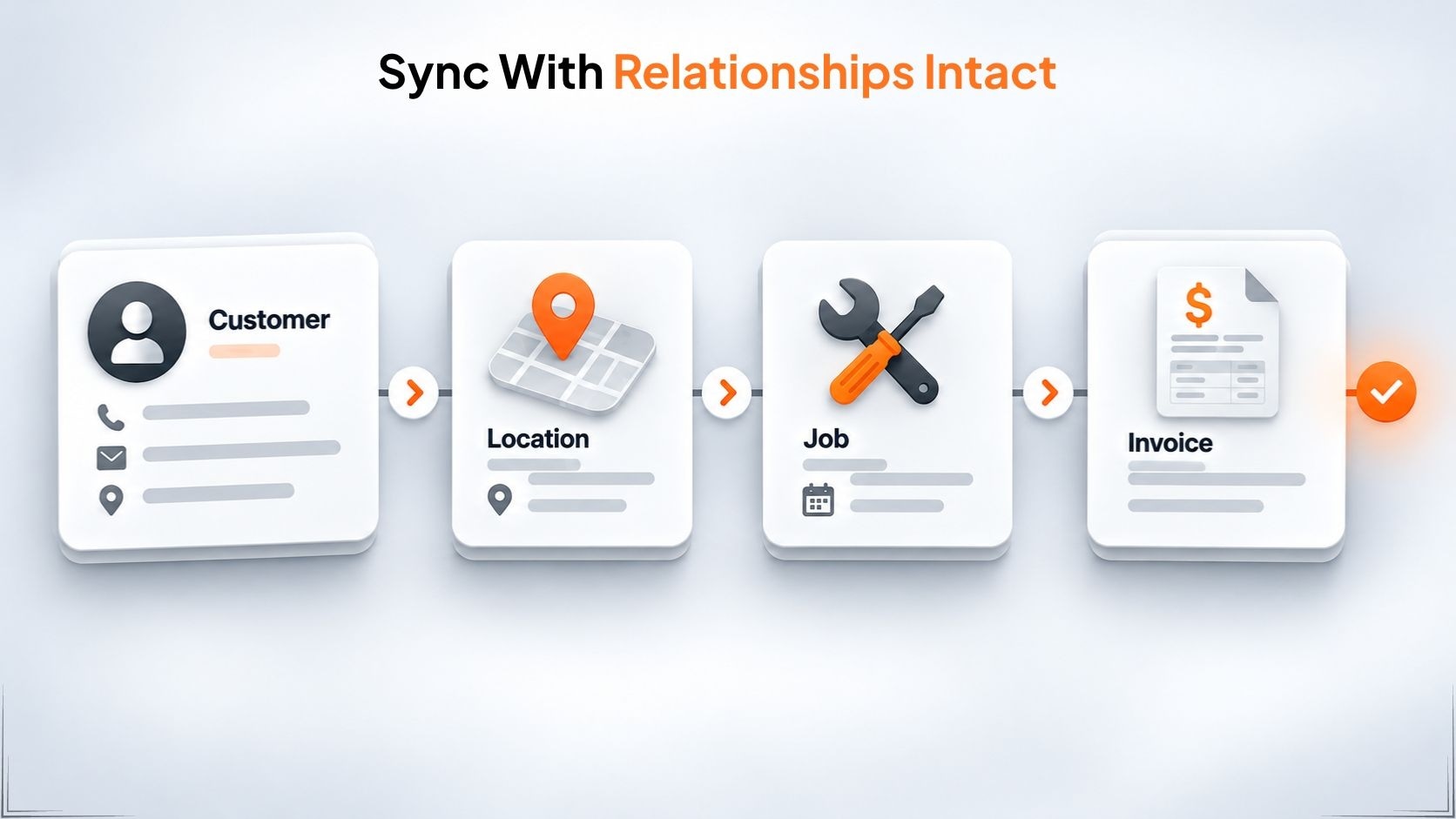
The root cause is often parent-child record dependencies. A job needs a customer and a service location. An invoice needs a completed job. If the integration tries to process a child record before its parents are ready, you get failed syncs, disconnected records, and duplicate customers.
The fix is not simply moving data faster. It is making sure the data arrives correctly.
Business Records Do Not Live Alone
Picture a commercial HVAC company handling hundreds of service visits across different locations.
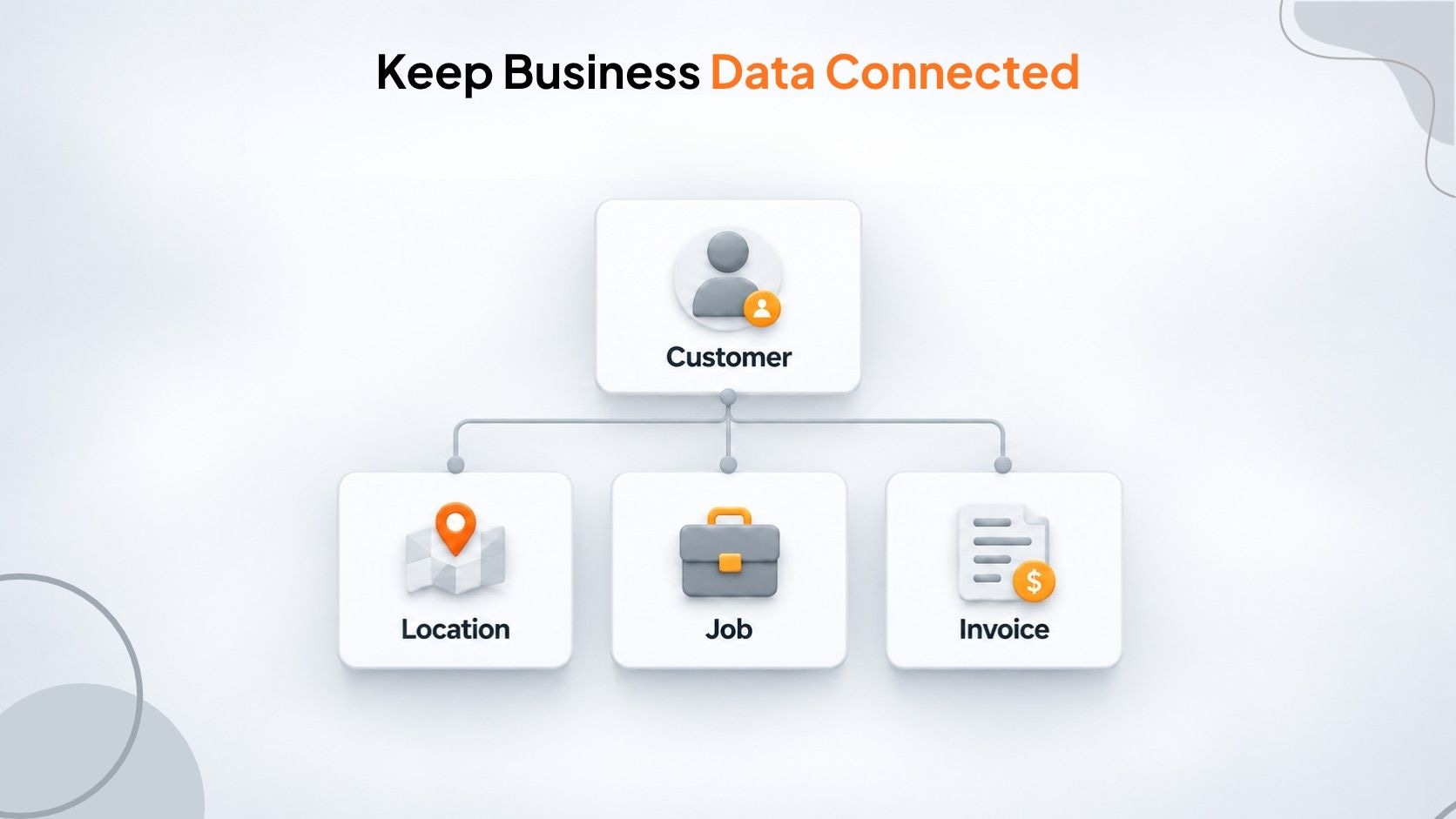
A property manager pays the bills, but the actual work happens at different buildings. Each site has its own service history, jobs, tools, and bills. The data usually looks like this:
- Customer: the company that pays
- Service location: the building where work gets done
- Job: the repair, visit, or install
- Invoice: the bill for the finished work
ServiceTitan keeps customer files and location files separate, linking jobs to both. HubSpot uses its own linking system to connect companies, contacts, and deals.
These relationships matter. A record without the right connections loses much of its value.
An invoice can show the correct amount, but if it is not linked to the right customer and job, the finance team struggles to reconcile it. A deal can sit in HubSpot, yet without the proper company association a sales rep cannot see the full customer history.
When two systems use different structures and IDs, the integration has to do more than copy fields. It has to keep the relationships intact.
What Happens When Child Records Arrive First?
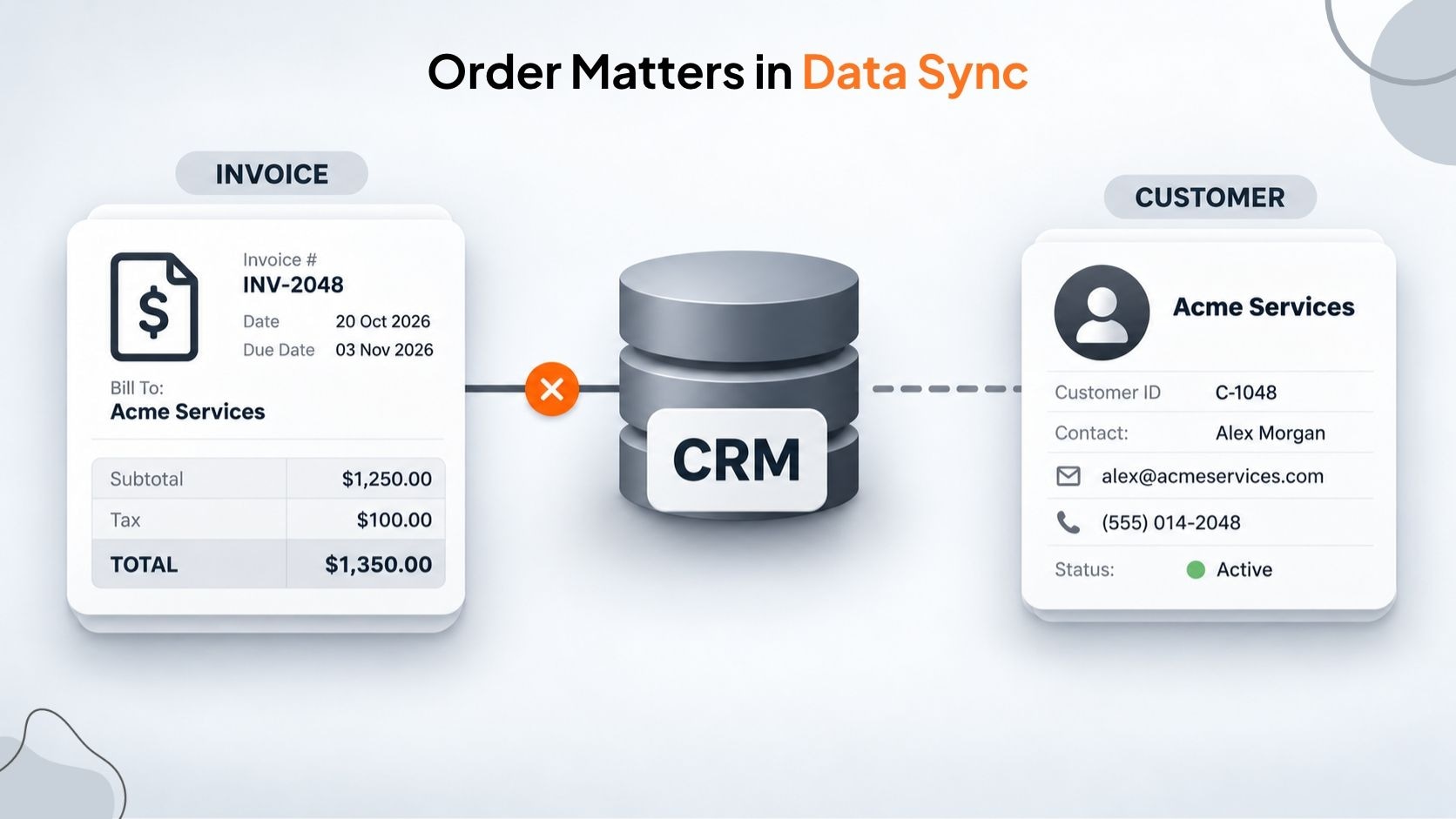
A technician finishes a job and creates an invoice. The integration starts sending the customer, location, job, and invoice to HubSpot.
Because these steps often run independently, the invoice can reach HubSpot before the customer or location has been created.
The destination system may reject the request because a required association is missing. Or the integration may create the record without linking it properly, depending on how the workflow is set up.
Three problems usually follow.
1. Failed syncs and delayed work
When a required relationship is missing, the API call fails. The invoice stays in the field service platform and never appears in the expected CRM workflow.
Someone has to dig into the error, find the missing parent record, and retry the operation. If no one notices, the record can stay out of sync for a long time.
One failure is manageable. Repeated failures across a busy operation create a backlog that someone eventually has to clear.
2. Orphaned records and incomplete reporting
Sometimes a record is created even though its parent is still missing.
A deal appears in HubSpot without the right company or contact. The sales team sees the transaction but cannot easily connect it to the rest of the customer’s history.
Automated workflows can also break. If a workflow needs a company association or contact details that are not there, the expected follow-up never happens.
Reports become less useful when records are disconnected, duplicated, or assigned to the wrong place. The data exists, but the business cannot trust what it is seeing.
3. Duplicate customers and fragmented histories
A common workaround is to create a new customer whenever the integration cannot find the existing one.
That lets the current transaction go through, but it often creates duplicates.
An invoice might create a temporary customer record because the real customer has not synced yet. When the original customer finally arrives, both records stay in the CRM.
Sales activity, service history, and reporting now sit in two different places. Staff have to figure out which record is correct and whether the duplicates can be safely merged.
The problem grows as more transactions move through the same workflow.
The Real Business Cost
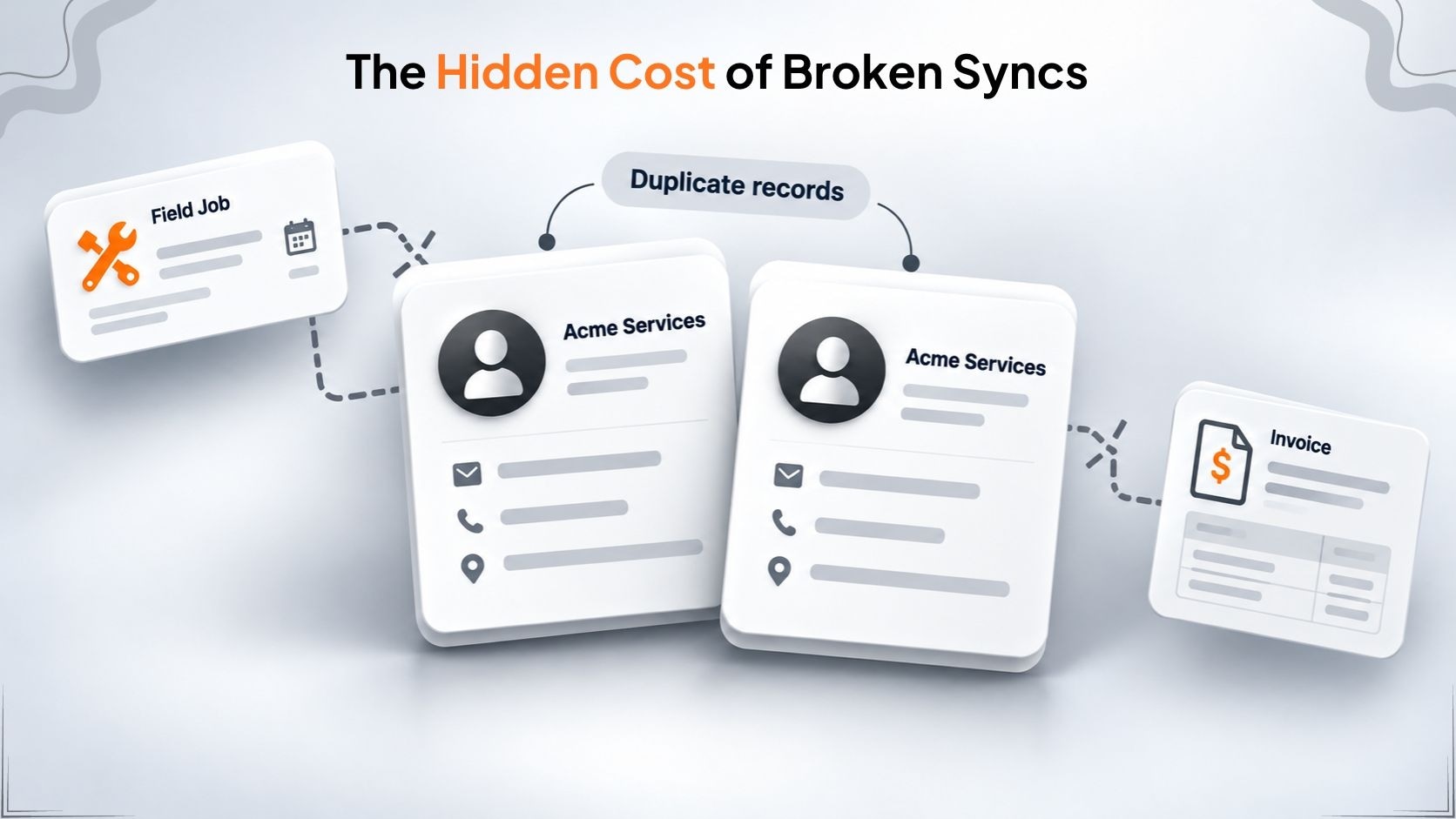
Parent-child sync failures hit several parts of the business at the same time.
Operational productivity
People spend time checking logs, hunting for missing records, fixing associations, and retrying failed syncs. Work that should happen automatically becomes another administrative chore. The real cost is not one error—it is the constant interruption of normal work.
Financial visibility and cash flow
When invoices and jobs do not appear in the right systems, finance teams need extra checks before they can reconcile completed work. A sync failure does not automatically mean lost revenue, but it can delay the processes that track finished jobs, prepare billing, and show what has actually been delivered. Disconnected records also make it harder for managers to compare operational results with the sales pipeline.
Customer experience
Customers do not care which system holds their information. They expect the business to know what work was done, where it happened, and what comes next. When records are out of sync, a customer might receive an irrelevant marketing message after a completed job, wait longer for documentation, or have to repeat details the business should already have.
Decision-making
Owners need reliable numbers to see which customers are active, which jobs are generating revenue, and which marketing efforts are turning into paying work. Duplicated customer records or missing jobs in the CRM leave reports incomplete. The systems no longer reflect what the business has actually done.
Why Common Solutions Often Fall Short
Most companies respond to sync problems in one of three ways: add delays, write custom code, or use a purpose-built integration product. Each has its place. The key question is whether it can handle the complexity of the data.
Generic automation tools
Tools like Zapier work well for simple workflows—creating a contact after a form is submitted or sending a notification to a sales rep. They struggle when the workflow must maintain complex relationships across systems.
Adding a five-minute delay before an invoice sync can look like a fix. But what happens if the customer sync takes longer than five minutes or fails completely? A fixed delay does not confirm that the parent record exists. It only waits a set amount of time.
Generic tools do offer queues and delays, so they are not completely unable to manage sequencing. The real test is whether the specific workflow can verify parent records, resolve IDs, handle retries, and keep the required associations. For simple one-way tasks they are often enough. For ongoing two-way sync of customers, jobs, and revenue, those capabilities need closer scrutiny.
Custom API development
A custom integration gives full control over data flow and business rules. Developers can build parent-first processing, record matching, retries, error handling, and field mapping. This can be the right choice when requirements are unusual or the company needs deep control.
That flexibility comes with ongoing responsibility. The business has to pay for the initial build, test thoroughly, monitor failures, and maintain the code as the connected platforms change. Complexity rises quickly when the integration must handle multiple record types, different identifiers, and updates in both directions.
Custom work is not inherently unreliable. A well-built integration can work very well. It may simply be more effort than necessary when a suitable product already supports the required systems.
A purpose-built integration platform
A purpose-built product aims to deliver common integration capabilities without forcing every company to commission its own software project. For the right use case it can cut implementation time and make configuration easier for operations teams.
Even so, it still needs careful evaluation. Companies should check supported objects, association rules, matching behavior, error recovery, scheduling, and monitoring tools rather than assuming every platform handles them the same way.
What a Reliable Integration Must Do
No matter what tool you pick, a good setup must do five main things:
- Process files in the right order. Ensure the customer or job file is ready before linking a bill to it.
- Check for main files first. If a smaller file arrives too soon, the system should hold it instead of failing.
- Match IDs correctly. Since a customer has different ID numbers in each app, the setup must connect them accurately.
- Find existing files before making new ones. Use emails, phone numbers, and addresses to match people and stop double entries.
- Make errors easy to see and fix. Managers need to know what synced and what failed. Small errors should retry automatically, and bigger problems should be easy to find.
These capabilities turn an integration from a series of disconnected triggers into a process that protects data quality and record relationships.
How Synkazo Approaches the Problem
Synkazo is a two-way synchronization platform built by TechMarcos to connect HubSpot with field service systems including ServiceTitan, Dataforma, and Texada. Its goal is to keep customer and operational information aligned without forcing every business to build the integration from scratch.
Dependency-aware synchronization
Synkazo uses rule-based dependency handling that respects relationships between records. When an invoice depends on a customer or service location, the rules can hold the invoice until the parent is ready. This avoids the weakness of fixed delays—waiting a set time is not the same as confirming the parent actually exists.
Record matching and duplicate prevention
Customizable matching rules and IDs help the system easily spot existing records. For businesses that handle repeat clients, multiple service locations, and constant job updates, finding existing matches before creating new files keeps customer histories intact and cuts down on manual data cleanup. The results still depend on the quality of your data and the rules you set, but it is a much more thoughtful process than simply creating a brand-new customer every time a search comes up empty.
Two-way synchronization
Keeping data current in only one direction leaves a gap. A new lead may reach the field service system, yet a completed job may never make it back to HubSpot. Synkazo is built for two-way sync, so supported customer, job, status, and value updates can move in both directions according to the mappings and rules you configure. Sales and operations can work from more consistent information, and marketing gains a clearer view of what happened after a lead became a customer.
Guided mapping and simpler setup
Matching up fields between two systems that use completely different names and setups can eat up a lot of time. Synkazo makes this easier by offering smart mapping suggestions and configuration tools to help your team line up every record and field perfectly. Because it uses pre-built connectors instead of custom code, keeping the system updated is much easier for teams that don't have a full-time tech expert on staff.
Monitoring and predictable administration
A useful integration should let you see what happened when a record did not sync as expected. Synkazo provides sync activity information and configurable behavior so teams can review results and investigate failures. Its record-based subscription model is designed to make pricing clearer than approaches that charge for every individual automation task. Companies should still confirm plan limits, supported record types, and operational needs for their own environment.
Choosing the Right Approach for Your Business
The best strategy depends entirely on the kind of work you need to automate.
Use a basic automation tool when your workflows are simple, mostly one-way, and don’t involve complicated record relationships.
Choose custom development when you have highly specific requirements or want complete control over how the system is built.
Consider a specialized product like Synkazo when you need reliable, two-way synchronization between HubSpot and your field service software—complete with built-in record matching and tools that handle complex data relationships.
Don’t judge an integration only by how quickly you can set it up. Look at the ongoing effort required to manage field mappings, clean up duplicate records, investigate errors, and keep customer information organized as your business grows. A solution that saves a few minutes on day one but creates constant cleanup work later is rarely the most cost-effective choice over time.
From Moving Data to Trusting It
An integration can be technically connected and still fail the business. Records may move between systems, yet if their relationships are lost, employees are left reconstructing customer history by hand.
The better approach is to protect those relationships from the start. Parent records need to be resolved, child records need to be processed at the right time, duplicates need to be controlled, and failures need to be visible.
Synkazo brings these capabilities together in a purpose-built platform for HubSpot and field service software. For trade businesses that want to connect leads, customers, jobs, and revenue without taking on a large custom project, it offers a practical way to reduce manual data entry and keep systems aligned.
Instead of asking employees to keep fixing records after the fact, businesses can put more of that work into the integration itself.
That is the real value of reliable synchronization: not simply moving data from one application to another, but helping sales, operations, finance, and marketing work from a more consistent view of the customer.
Explore Synkazo’s HubSpot and field service integration to see how its two-way sync and dependency-aware approach could fit your business.
We’ll connect a sandbox and map one of your real objects on the call. Thirty minutes, no slide deck.
Request a demo