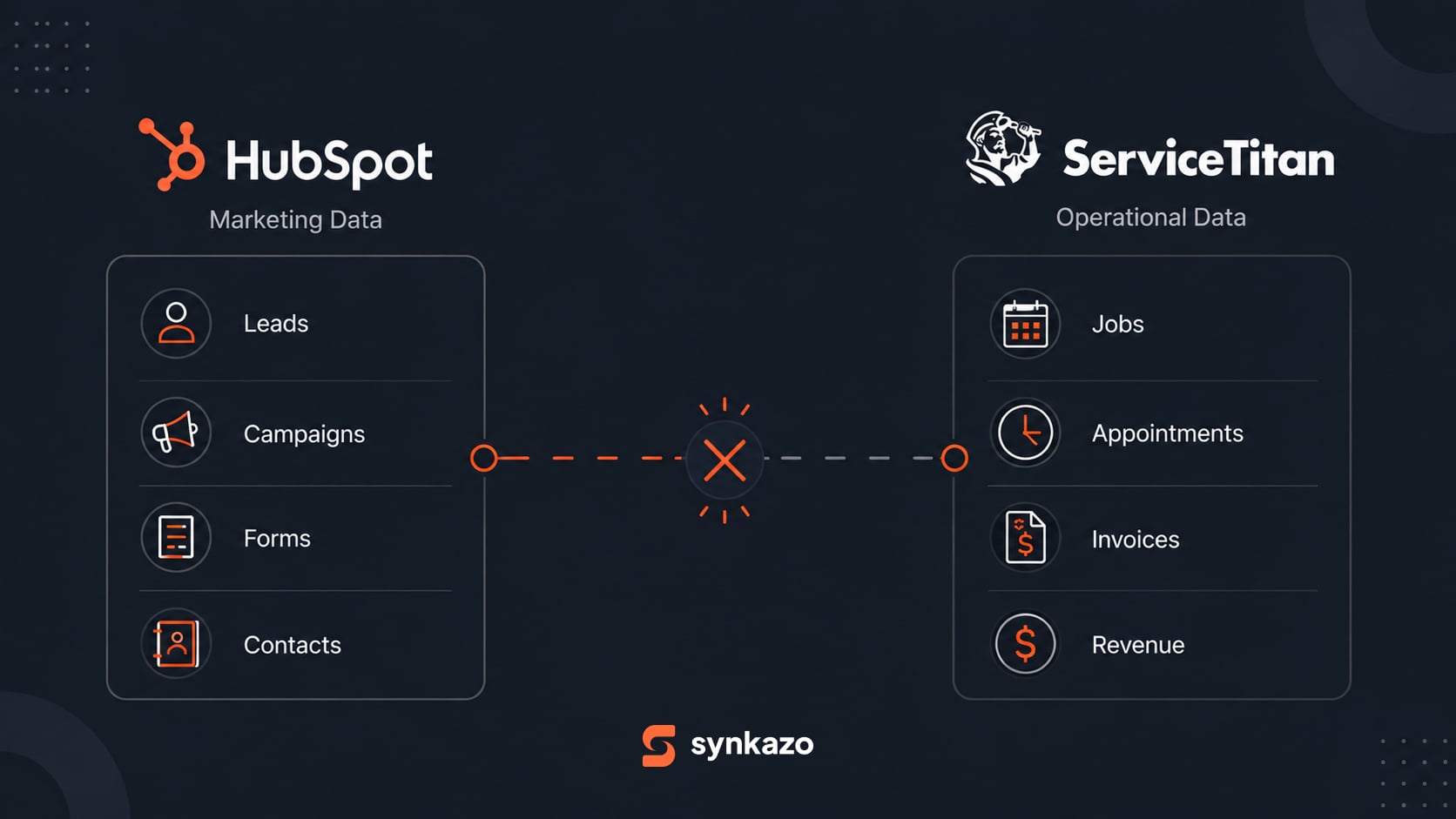
Imagine a Monday morning review at an HVAC company. HubSpot shows more leads, stronger ad engagement, and a lower cost per lead. Then the owner asks:
Which campaign generated the $18,000 HVAC replacement we completed on Friday?
Marketing knows where the lead came from. Sales knows which opportunity was quoted. ServiceTitan knows the job was completed and invoiced. But if those records do not connect, nobody can confidently trace the revenue back to the campaign.
Tracking marketing return requires a connected path from campaign to lead to customer to job to revenue. Here is what that path needs and how to check it.
The Real Cost of Disconnected Data
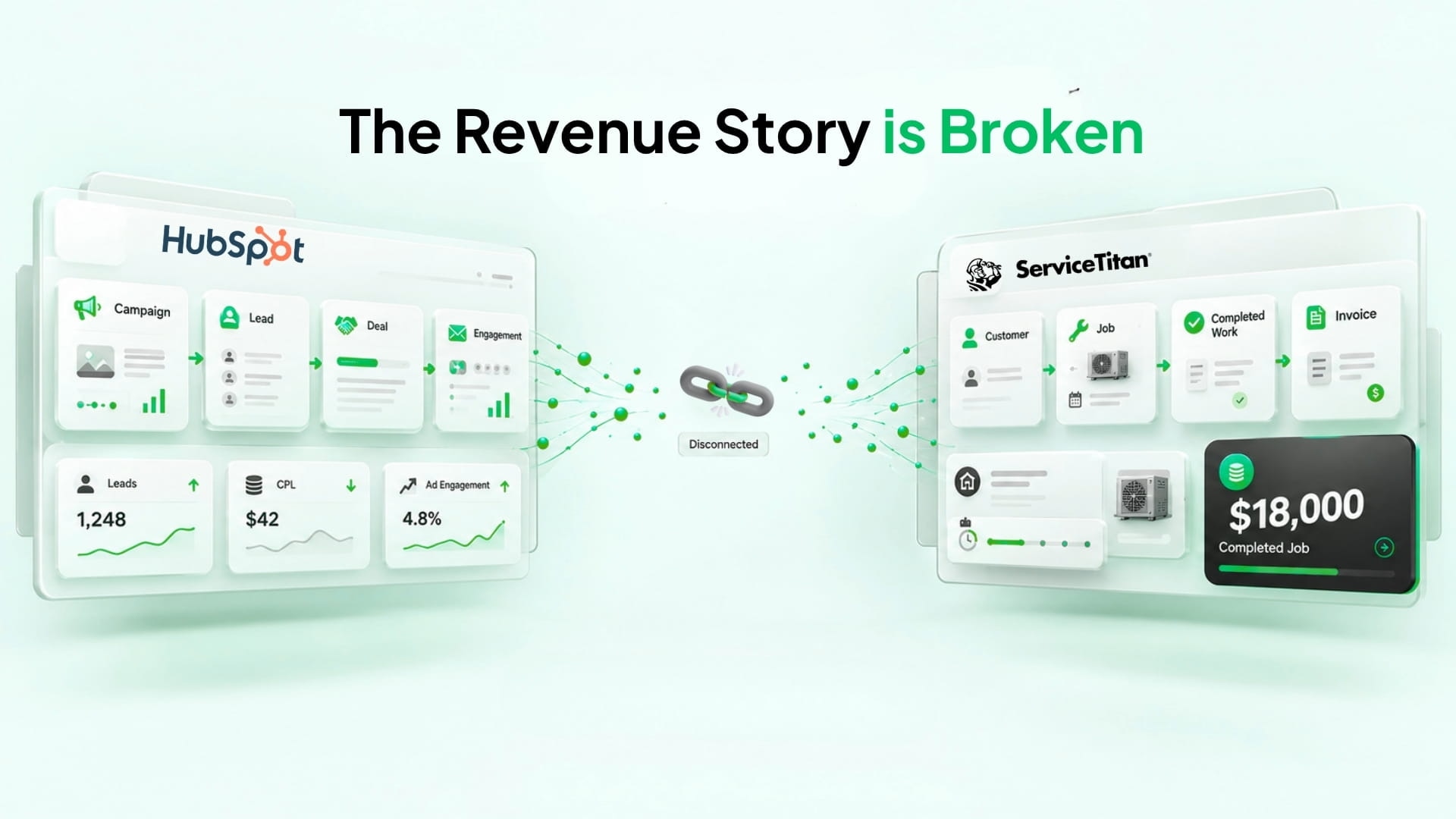
The problem is bigger than having two dashboards.
Marketing Sees Leads, Not the Full Revenue Story
HubSpot can hold the campaign, contact, and deal history. But a revenue report is only as useful as the deal and revenue data behind it. If a completed installation and its value stay in ServiceTitan, the CRM may show the lead without the outcome that matters to the business.
That leaves marketing optimizing for inquiries instead of asking which efforts bring in valuable customers.
Employees Become the Data Bridge
When the systems are disconnected, office staff may copy customer details, job status, and invoice amounts between them. More handoffs mean more chances for a record to be missed, duplicated, or associated with the wrong customer.
Customer Experience Can Suffer
A customer who has just completed an installation may still look like a prospect in HubSpot. A review request or maintenance follow-up may arrive at the wrong time because marketing cannot see what happened in the field.
Why Connecting ServiceTitan and HubSpot Is Not So Simple
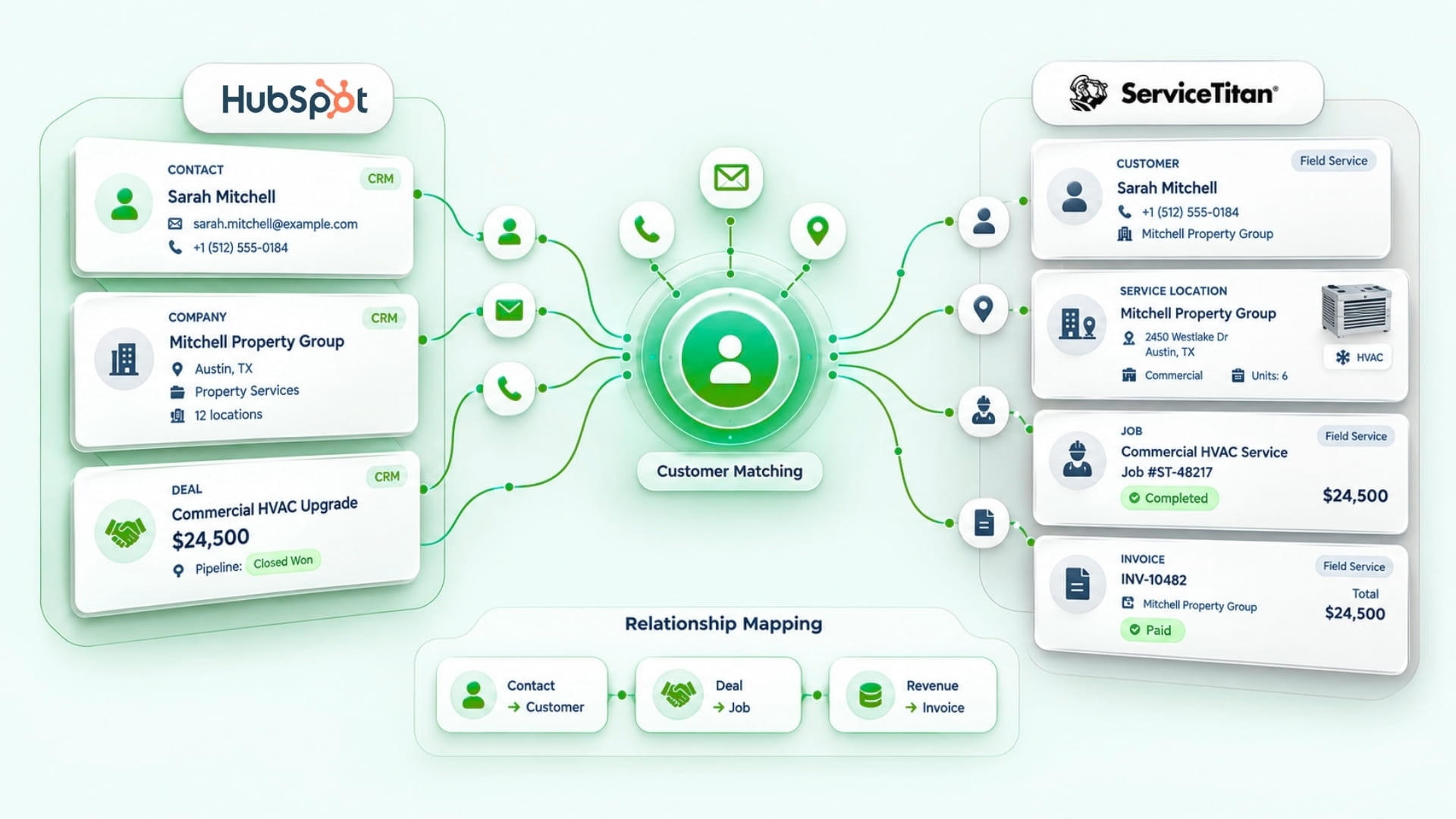
The names and amounts in this diagram are illustrative.
The systems describe different parts of the same business. HubSpot centers on contacts, companies, deals, campaigns, and engagement. ServiceTitan centers on customers, service locations, jobs, and financial activity.
A homeowner might call from one phone number and later submit a form using another email address. An integration must determine whether those are the same customer before linking a service location, job, invoice, and HubSpot Deal. Copying similarly named fields is not enough.
How to Trace a Campaign to Completed Revenue
1. Preserve the Lead Source
Keep the campaign or referral source attached to the HubSpot contact and, where appropriate, the related Deal. Decide how to handle a lead that arrives by form, phone call, or another channel. If the source is lost at intake, the later job cannot reliably restore it.
2. Match the Customer and Service Location
Agree on matching rules before syncing records. Email, phone, existing record IDs, and service address may help, but each can be incomplete or shared. Review ambiguous matches instead of assuming two records belong to the same person.
The right relationship matters as much as the right customer: one customer may have several service locations and jobs.
3. Associate the Job and Revenue with the Right Deal
Define which ServiceTitan job status and financial value should appear in HubSpot, which Deal it belongs to, and when it should update. A quoted job, completed job, invoice total, and paid amount are different measures. Choose one consistently for the report you want to run.
Available objects and mappings depend on the permissions, plan, and approved configuration of both systems. Review the ServiceTitan connector scope before treating any field or direction as automatic.
4. Check the Attribution Report Against Real Records
Take a few completed jobs and trace each one backward: invoice or job, customer, HubSpot Deal, contact, and campaign source. Confirm the amounts, dates, and associations before using a campaign-level revenue report to make budget decisions.
This spot check also exposes missing sources, duplicate customers, and jobs linked to the wrong Deal. For a deeper look at attribution gaps, see why HubSpot attribution can break across the ServiceTitan data split.
Why Common Integration Approaches Fall Short
Custom API Development
A custom integration can follow the exact workflow a company needs, but that company must also build, test, monitor, and maintain it as APIs and business rules change.
Generic Automation Tools
Tools such as Zapier and Make can be useful for straightforward events, such as creating a customer from a new contact. Ongoing synchronization needs additional rules: which record to update, which system owns each field, how to prevent duplicates, and what to do when a request fails or traffic spikes.
What an Effective Integration Should Do
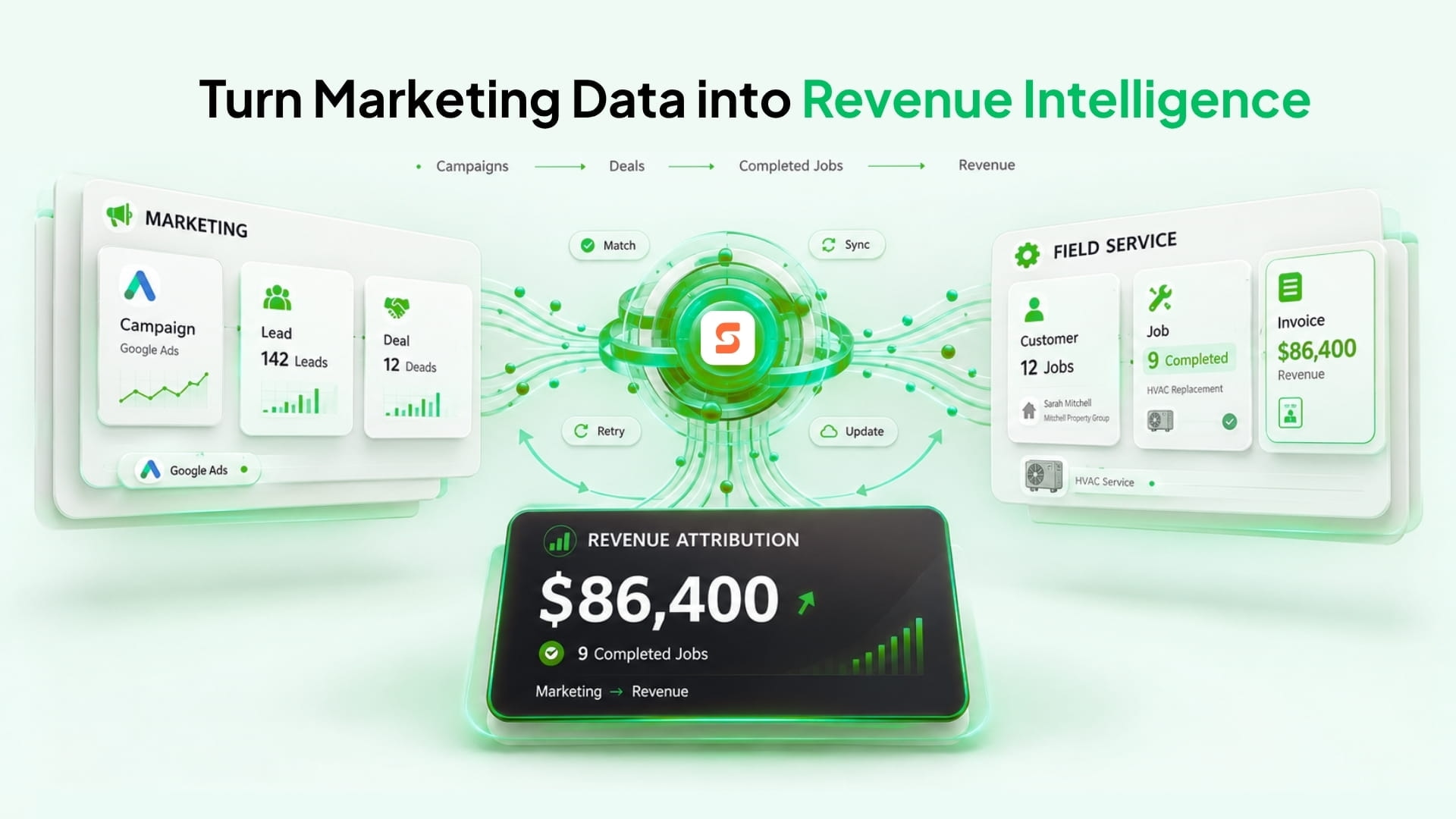
The figures in this illustration are examples, not reported customer results.
A reliable ServiceTitan and HubSpot connection should:
- Match records carefully: Use agreed identifiers and handle ambiguous customers or locations.
- Maintain relationships: Keep contacts, customers, locations, jobs, and the relevant Deal linked.
- Process changes reliably: Account for retries, API limits, and failed transactions.
- Carry the chosen revenue measure: Put the approved job or invoice value where the marketing team can report on it.
The goal is a traceable journey:
Marketing Campaign → Lead → Customer → Job → Revenue
From Marketing Attribution to Revenue Decisions
Once that journey is connected and checked, an HVAC company can compare campaigns by the completed work associated with them, alongside lead volume and cost per lead.
The useful question becomes: Which campaigns led to the jobs and revenue we chose to measure? The answer depends on sound source capture, customer matching, and deal associations—not just a new dashboard.
Where Synkazo Fits
Synkazo provides configurable connections between HubSpot and field-service systems including ServiceTitan. For a ServiceTitan project, the objects, fields, matching keys, direction, and write rules are reviewed during setup. Approved customer data can move in both directions where configured; that does not mean every object syncs both ways.
The aim is to keep the agreed customer, job, and revenue relationships connected so teams can follow an outcome back to its source. The exact reporting flow depends on account access and the mapping selected for the project. The ServiceTitan setup guide explains what to review before activation.
Connect the Lead to the Revenue
HubSpot can tell you where a lead started. ServiceTitan can tell you what happened in the field. To measure marketing return, connect and verify the records between those events.
Start with a small set of completed jobs. If you can trace each one back to a campaign and explain which revenue figure is being counted, you have the basis for a report your team can use to decide where to invest next.
We’ll connect a sandbox and map one of your real objects on the call. Thirty minutes, no slide deck.
Request a demo