Imagine a business review where HubSpot shows healthy lead volume, but nobody can answer which campaign led to a recently completed job. Marketing points to HubSpot. Operations points to ServiceTitan. The customer journey between them is unclear.
That gap can show up in everyday work. Here are five signs to look for, plus a practical way to investigate each one.
1. Duplicate Customers Keep Appearing
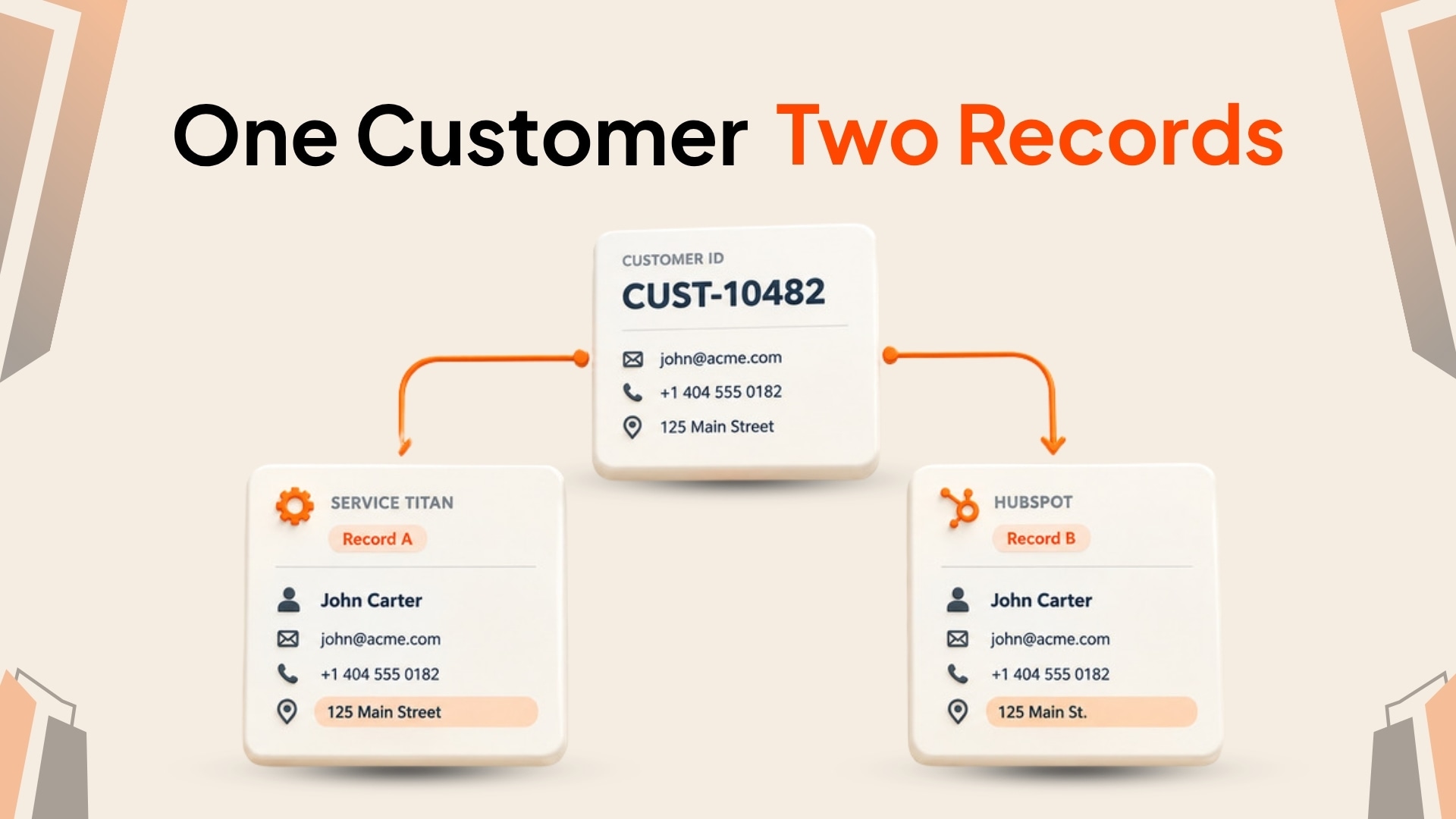
A customer may first call with a phone number and service address, then later submit a form with an email address. If the integration uses only one identifier, it may create a second record instead of matching the existing customer.
Duplicates split service history and campaign activity across records. Check whether your matching rules account for the identifiers your teams actually collect, and send uncertain matches for review instead of guessing.
For a deeper explanation of common causes, see seven ServiceTitan and HubSpot data mismatch problems.
2. Marketing Can See Leads but Not the Resulting Revenue
HubSpot may show which campaign generated a contact, while job and invoice information remains in ServiceTitan. If the relevant completed work and value are not associated with the right HubSpot Deal, a campaign report may show the lead without the outcome.
Trace a few completed jobs from ServiceTitan back to the customer, HubSpot Deal, and campaign source. Confirm which amount you intend to report—job value, invoice total, or paid amount—and that it is mapped consistently.
3. Updates Fall Behind During Busy Periods
If updates arrive late or fail when activity increases, look at how the integration handles queues, retries, and API limits. A temporary limit or failed request should be visible and recoverable; otherwise teams may act on stale records without knowing it.
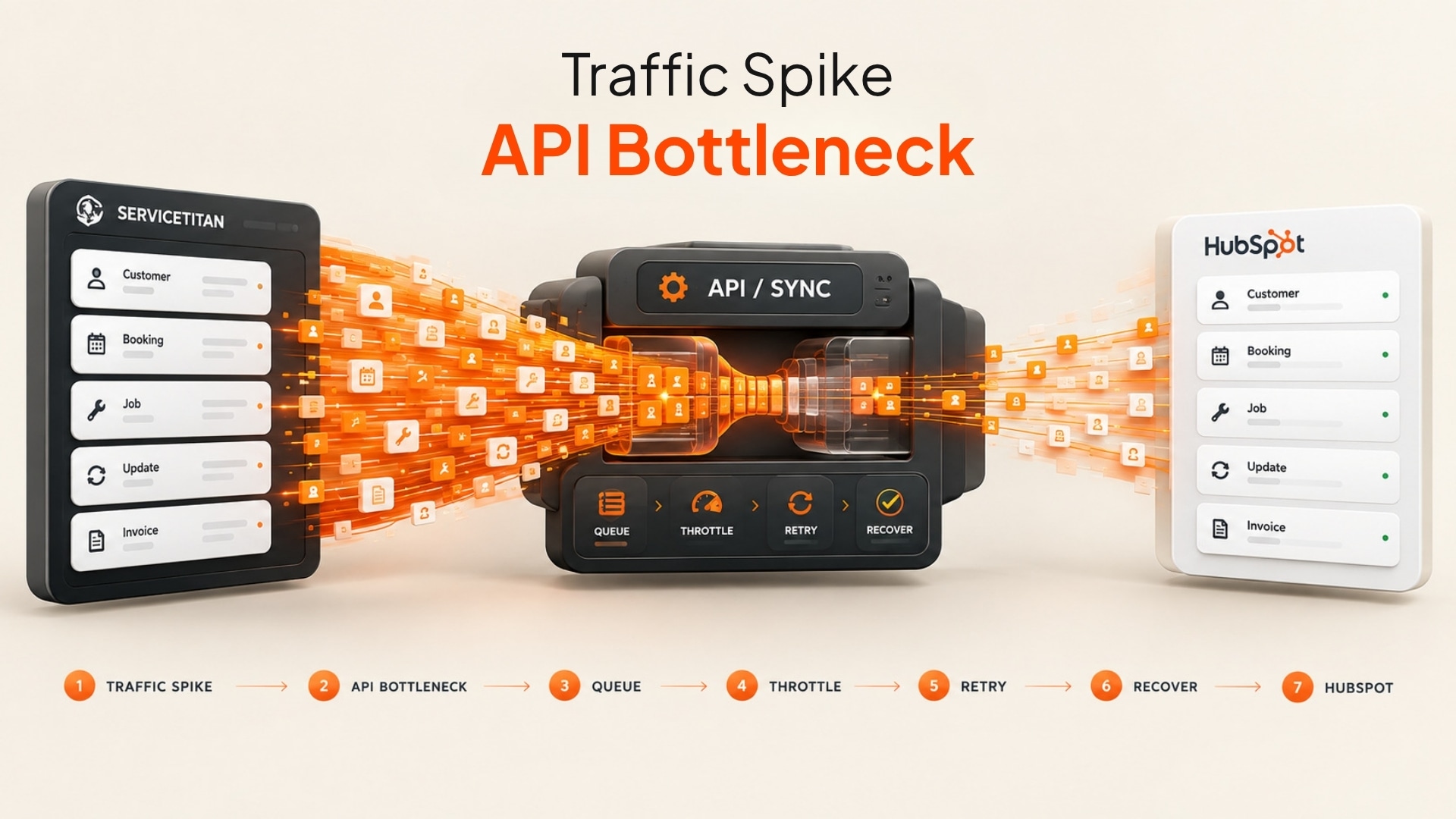
Check sync history during a busy period. Look for repeated failures, long delays, and records that needed manual correction. Confirm the configured cadence and recovery process with the team that owns the integration.
4. The Systems Overwrite Each Other
Two-way rules can create conflicts when both systems update the same field. For example, an operations team corrects a phone number in ServiceTitan, then an older HubSpot value replaces it on a later sync.
Decide which system owns each field and document how conflicts are resolved. Some fields may belong to ServiceTitan, while campaign source and marketing activity belong in HubSpot. Direction and ownership should be set per field or object, not assumed from the phrase “two-way sync.”
5. The HubSpot Pipeline Does Not Match Field Activity
Compare a sample of HubSpot Deals with the corresponding ServiceTitan jobs. Are canceled jobs still represented as active opportunities? Are rescheduled appointments reflected? Are completed jobs missing or still shown at an earlier stage?
These differences can appear when an integration handles the first event but does not keep later status changes aligned. Check the event or status mapping and agree on which operational changes should update a Deal.
A Quick Integration Check
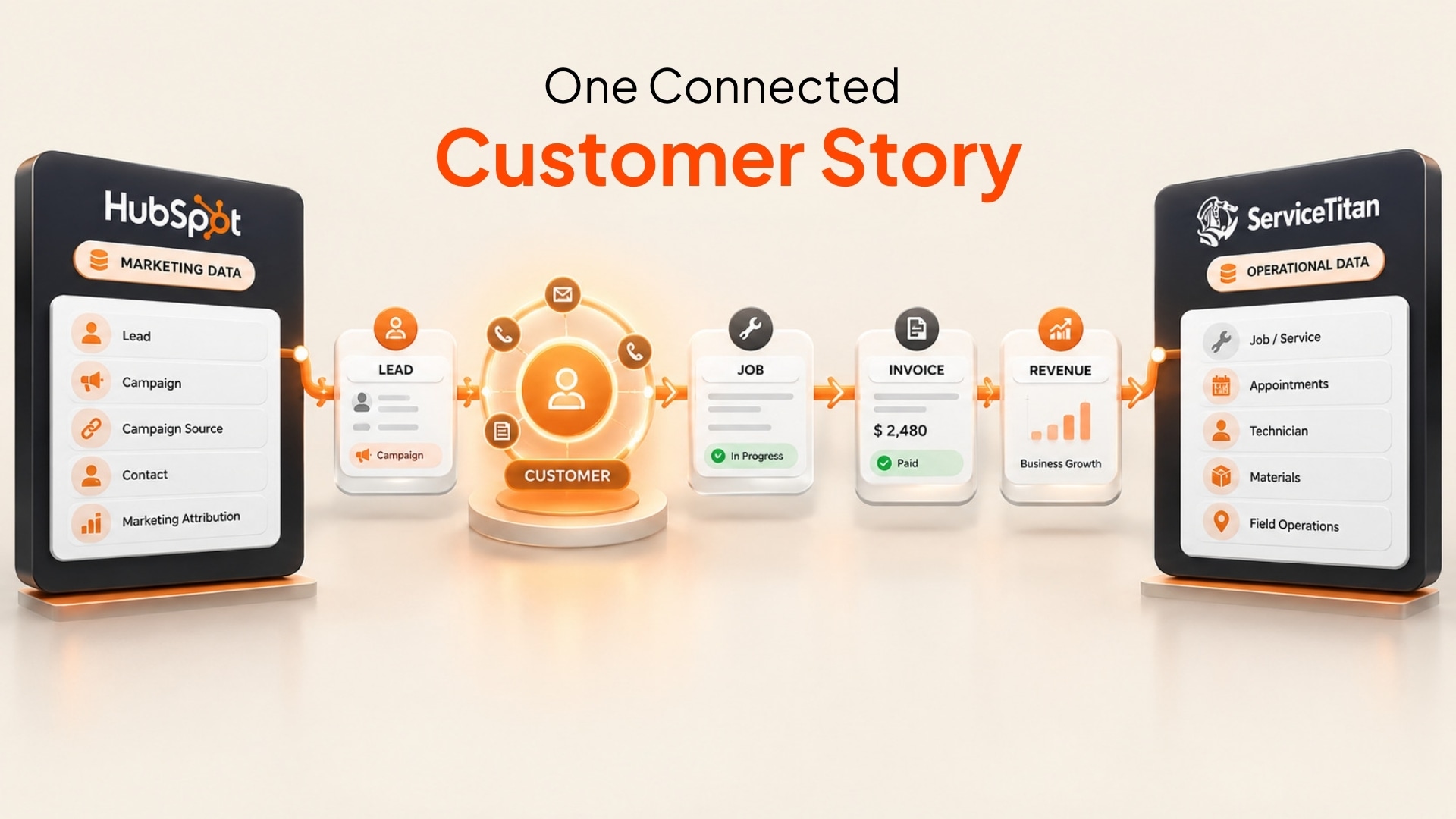
Names, amounts, and records in the diagrams are illustrative.
Choose a small sample of recent records and trace each one through the workflow:
- Find the campaign source on the HubSpot contact or Deal.
- Confirm the right customer and service location were matched.
- Compare the HubSpot Deal with the ServiceTitan job and selected revenue field.
- Review the sync history for delays, retries, or failed updates.
- Check that later changes, such as a cancellation or completion, appear as intended.
This check helps distinguish a mapping issue from a delayed update, an ambiguous match, or a missing source value. The available objects, directions, fields, and timing depend on account access and the project configuration. Review the ServiceTitan connector scope before assuming a specific flow is enabled.
Keep the Customer Record and the Work Connected
An integration should help teams follow the customer from the original inquiry through field activity and the chosen revenue outcome. That requires clear match rules, field ownership, status handling, and a way to see when updates fail.
Synkazo supports configurable connections between ServiceTitan and HubSpot. The objects, fields, matching keys, and direction are confirmed for each project; two-way support for one object does not mean every object syncs both ways. The ServiceTitan setup guide outlines what to review before activation.
We’ll connect a sandbox and map one of your real objects on the call. Thirty minutes, no slide deck.
Request a demo